How to DPDC Bill Check Online 2026: Step by Step Guide

Know how to use the DPDC Bill Check method from here correctly and easily.
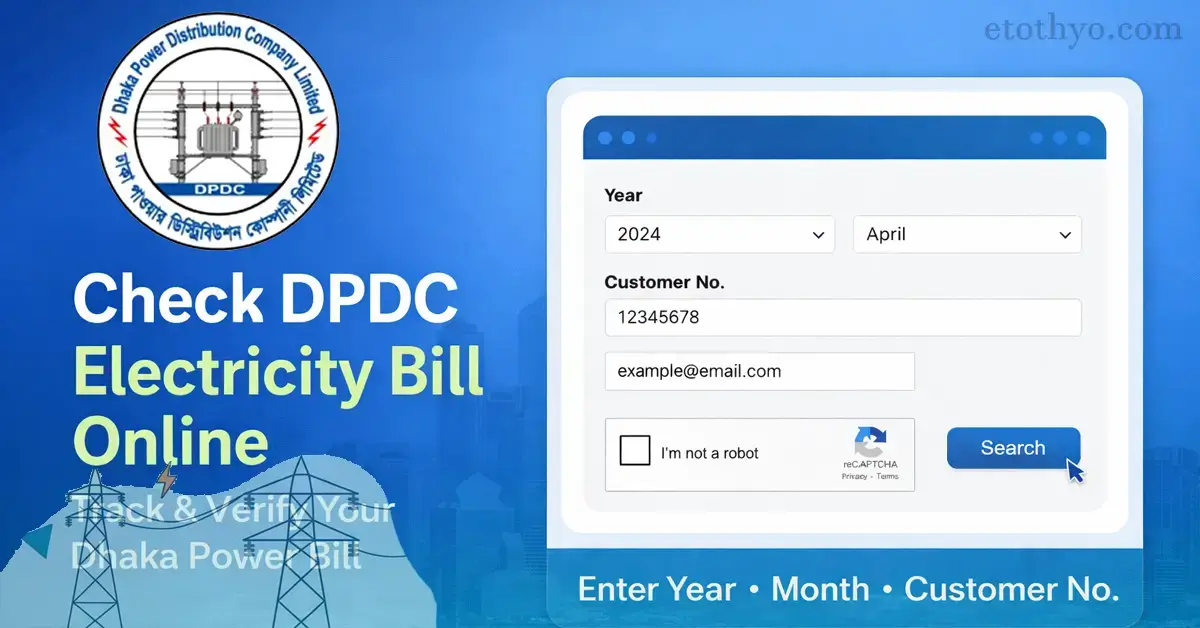
To check the bill of DPDC- Dhaka Power Distribution Company Limited, go to the DPDC website, enter the year, month, customer number, and email of the electricity bill, and click on the search button.
Only then will the DPDC meter bill information show online. Follow the procedure below to get a clearer idea of how to check the DPDC bill.
DPDC Bill Online Checking 2026
The full form of DPDC is Dhaka Power Distribution Company Limited. Many customers of Dhaka take electricity service from this company. It mainly provides electricity service in two ways.
One is the prepaid meter, and the other is the postpaid meter. Those who are prepaid meter users have to recharge their electricity bill in advance to get an electricity connection from the meter.
As soon as the electricity bill is over, the electricity connection is stopped. So the DPDC bill needs to be checked from time to time so that the electrical connection does not stop unexpectedly.
The DPDC bill checking process is nicely presented below.
DPDC Prepaid Meter Bill Check Online
Now we will move to the main discussion, which is how to check the DPDC bill online. Follow the steps below for the DPDC Bill check online.
- To check the DPDC prepaid meter bill online, first visit the DPDC Bill
- After visiting here, a page like the image below will appear.

- There are three fields to fill in on this page.
- The first information is the ‘Year’ of the DPDC prepaid meter bill.
- Then the ‘Month’, then the ‘Customer Number’. The meter number should be written here as a customer number.
- Then below is a ‘Captcha’ code.
- Fill this captcha correctly and press the ‘Submit’ button.
- As soon as you click on the search button, all the information related to your DPDC bill will show.
DPDC Postpaid Bill check
The above-discussed DPDC prepaid bill check. But for those who use a DPDC postpaid meter, how to check the DPDC bill? The same rule will be applicable for both the DPDC prepaid meter and the postpaid meter.
For those using postpaid and prepaid meters, any customer following the above rules will know about any prepaid and postpaid bills. If you have difficulty understanding, then follow the process given below.
- First, visit the DPDC Bill website.
- After visiting here, a page will appear.
- Here, fill in your postpaid meter bill Month, Year, Customer Number, and Captcha code well.
- After filling these in, click on the Search icon.
- Clicking on the search button will show all the information related to your DPDC postpaid bill.
DPDC Bill Check Contact Number
If there is any problem while checking the DPDC bill or after bill payment, or any other problem, then contact them immediately as per the DPDC contact number.
- DPDC Call Center: 16116
- Electricity Call Center: 16999
In case of any problem, you can call this hotline number and inform them about your problem. Also given below is a picture of the contact information of DPDC.
From here, you can call the specific officer of the specific office according to your area and report any problem related to your DPDC bill, and get a solution from them.
FAQs About DPDC Bill Check Online
Many people have many questions regarding the DPDC bill. Some important questions from among them are added here, and their answers are provided.
What is the full form of DPDC?
Ans: The full form of DPDC is Dhaka Power Distribution Company Limited. It is a government-funded electricity company that provides electricity services in the Dhaka Division.
What to do if DPDC does not show the bill while checking the bill?
Ans: If you face any problem while checking the DPDC bill, or if the DPDC bill does not show online, then you must understand that the information you provided is incorrect.
So, provide the year, month, and meter number of your bill very well, fill in the captcha code below correctly, and click on the search button.
Hope the bill information will come online. But if the bill does not show after this, then it may be a server problem. So try again later.
How to pay the DPDC bill online?
Ans: To pay the DPDC bill online, visit the DPDC Bill Payment Website
After visiting here, you can pay your DPDC bill through Rocket, Visa card, or any other payment gateway. Of course, the process of online payment of the DPDC bill can be seen in detail above.
What to do if DPDC does not show the bill on the meter after paying the bill?
Ans: If the bill does not show after paying the bill at the DPDC prepaid meter, wait a little. Because the bill may take some time to insert into the meter.
If still not, then contact your nearest area as per the contact information. The DPDC contact number is provided above.
Ending
DPDC Bill can be checked very quickly as per the information provided above. For any information regarding DPDC prepaid or postpaid meters, visit https://dpdc.org.bd/
You can get any information related to your DPDC meter from this website. If you have any queries related to the DPDC bill or the DPDC meter, then you can ask us through the comment section.
However, for any information related to DPDC, you can call the hotline number 16999 and receive information.
Related Posts:
- BPDB Prepaid Meter Bill Check Online: BPDB Meter All Codes 2026
- BREB Online Connection System: Palli Bidyut Meter Application 2026
- Desco New Connection Online Application 2026 Processes